
Using AI to Map Legacy and Inherited Code: A Practical Guide
- Jan 1
- 6 min read
Updated: Jan 25

One of the ways I’ve been using AI recently is code mapping and documentation, particularly to quickly understand a new codebase. It might not come as a surprise that LLMs seem to be quite good at this sort of task, and it’s saved me hours of trawling through undecipherable God functions – code that only God and my past self can understand how it works.
Let me back up one minute.
I’ve been looking back through some of my old programming projects recently, from when I was a kid. Unsurprisingly, in the years since, many of my old projects have broken due to some out-of-date module dependency or language feature update that has made them unusable. It’s a shame, really, because with Christmas comes board games, and my old Cluedo (Clue) solver was one of my favourite Python projects growing up – it really took all the fun out of playing.
I was actually quite impressed by a few of my old projects. A 1500-line block of code can be generated in just a few minutes now, but I had somehow managed to do all of this by hand!? The problem is, without any understanding of what the code actually does or how it fits together, I had no idea where to start fixing it.
My younger self had apparently not heard of commenting, let alone documentation. And while I could have dived straight into debugging and writing tests, that felt like trying to fix a car engine without knowing which part is the carburettor. I needed a map first.
I’ve been experimenting with using LLMs to generate code maps for unfamiliar codebases, whether they’re from colleagues, open-source projects, or, in this case, my own digital archaeology. Here’s what I’ve learned about making this approach actually useful.
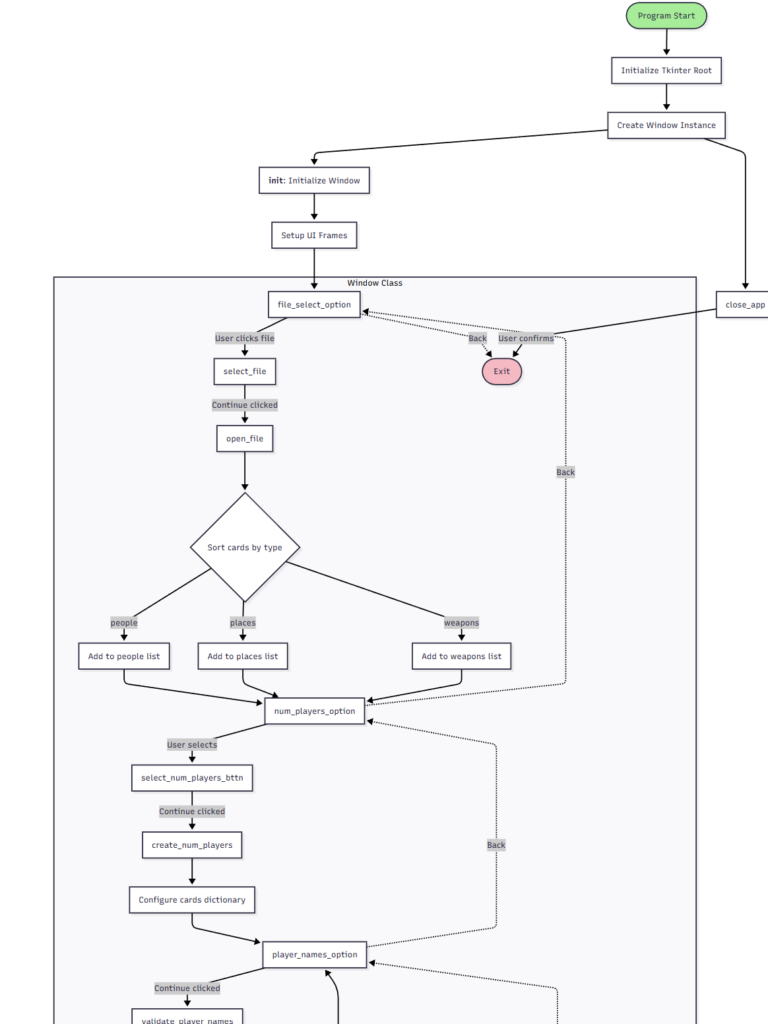


The 4-Step Process
1. Understand the Scope
First, take stock of what we’re dealing with. We’ll be using an LLM for the bulk of the legwork for this, so a single code file will be easy enough to copy into a prompt. If you have multiple files, you can probably attach them to the prompt, but be mindful about context window limitations if your project is particularly large.
Alternatively, for projects with code in multiple places, combining them together into a single markdown file will work nicely. Something like this seems to work well.
# File name

```[language]
[ code here ]
```
2. Make some Mermaid
Try out the prompt below. You’ll either need to attach the raw code file(s) or paste the code itself into the prompt. If you’re pasting the code in, I like to use a ‘[Code]’ delimiter to section out the prompt, though this is almost certainly not necessary.
You are analyzing a [LANGUAGE] codebase. Provide the code for a Mermaid flowchart that shows:

1. The main execution flow from entry point to exit
2. Interactions between user-defined functions (not standard library calls)
3. Key decision points and branching logic
4. Objects/classes represented as subgraphs with their methods

Focus on control flow and function calls, particularly of user-defined functions. Exclude:

- Library imports
- Simple getter/setter methods
- Trivial utility functions

[CODE]
'your code here'
If your code has multiple entry points, you may want to specify a particular path of the program flow to trace through. This can be especially helpful for event-driven systems.

3. Visualise
Take your Mermaid output to mermaid.live (or your preferred Mermaid renderer of choice) and visualise it.
Mermaid syntax. Mermaid is a text-based diagram language – think markdown for flowcharts. It’s widely supported and renders into clean, professional-looking diagrams. However, LLMs still occasionally generate invalid syntax, especially for complex diagrams. If your diagram won’t render, feed the error message back to the LLM and ask it to fix the syntax.
In my testing, Claude seemed to be the best at consistently producing syntactically correct mermaid code, but any model should work with a bit of back and forth.
4. Iterate and Refine
From my experience, a zero-shot approach generally seems to be sufficient, but some refinement can be beneficial to get the level of detail to our liking. Phrases like “increase/decrease the level of abstraction”, or “show more/less detail” will guide the LLM to produce something more in line with what we’re after. We can also be more specific and ask it to include/exclude certain types of methods, or just focus on one part of the process.

Other useful prompts
For simple programs and scripts, a simple flowchart will probably be sufficient, but complex code might need something a bit different. We can try something like:
A class diagram for code using a complex OOP paradigm
A State diagram for event-driven systems
A process map to see how data is being transformed through the steps of a workflow
The point is: adjust your request based on what you’re looking at. The one-size-fits-all prompt won’t work for everything.
Ditching the diagrams
Moving away from pretty diagrams, I’ve also had success generating some explanatory documentation.
Write a set of documentation for this code. Describe the inputs, outputs and processes for each of the main, non-trivial functions. Explain the critical execution path and how these functions link together. Produce your output as a documentation file in markdown format.
AI might be a mediocre, maybe even good programmer, but it’s an astounding assistant. Sure, it can write code for you, but I’ve found it really comes into its own when used to help me to quickly understand some code, or a process, rather than doing all the work for me (which will inevitably cause problems later on).
Documentation is one such example. Getting an LLM to explain code to you can be even better than having it write code for you. Your brain is an exceptional problem-solving machine if you give it a chance.
“List all the external dependencies and explain what each is used for in this codebase”
“Identify the core logic functions and explain what each does in simple language”
“Explain the error handling strategy: where are exceptions caught and how are errors propagated?”
“What are the main entry and exit points, and what are the expected inputs and outputs?”
Where This Approach Falls Short
These methods are far from perfect; it should go without saying that the accuracy with which an LLM can perform this sort of task is good, but not perfect. In this instance, hallucinations are pretty easy to spot as you’re tracing through a diagram, but don’t be surprised if some function calls get missed off or forgotten. Dynamic behaviour, or anything that happens at runtime, will obviously also be missed.
This is definitely a provisional guide to quickly getting to grips with some alien code. It’s a starting point, and a starting point rather than a rigorous piece of documentation.
You may well hit issues with context window limits if you try this with larger code bases. If you’re using the free version of some LLMs, analysing files in this way may also severely eat into your free daily usage.
For me, this is another part of my toolkit, rather than a replacement for proper code documentation and review.
A New Performance Metric
If nothing else, I’ve enjoyed this approach as an unexpected code quality indicator. Yes, you can measure execution time, efficiency, and memory usage, but my new favourite? How simple can I make the flowchart?
I recently fixed up an old VBA (Excel) codebase. This approach was invaluable to quickly understanding how the legacy code worked, and what it did, and didn’t do. I pretty much rebuilt it from scratch, so the before and after were incredibly satisfying.
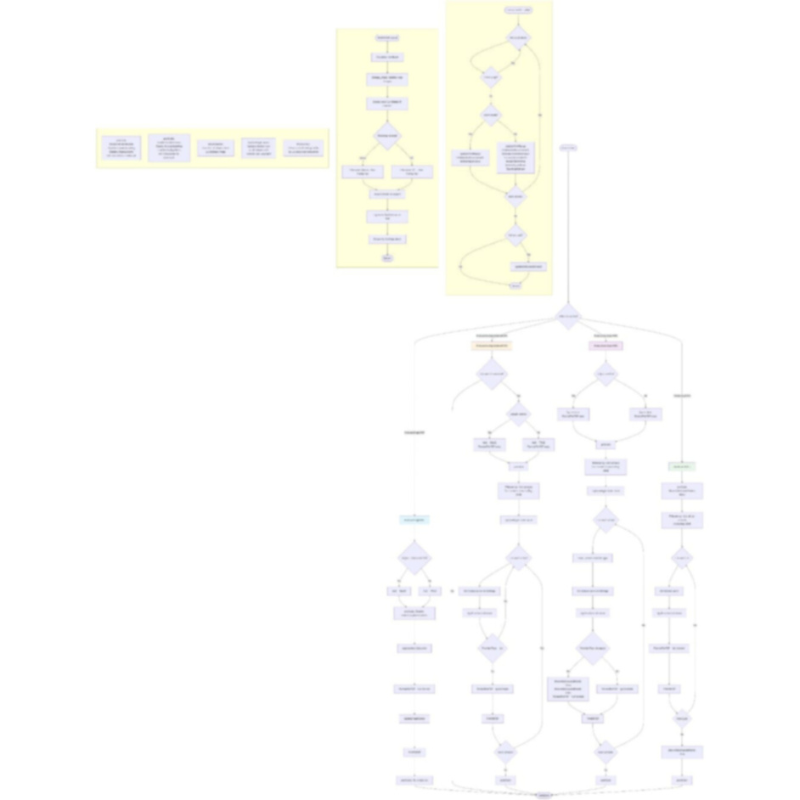


[left] old code map, [right] new code map
A clean, linear flowchart suggests clear logic and good separation of concerns. A tangled web of arrows suggests you’ve got some refactoring to do. Not a rigorous metric, sure, but it’s a satisfying one.
Final Thoughts
Whether you’re excavating your own digital archaeology or taking over someone else’s legacy code, AI-powered code mapping is a genuine time-saver. It won’t do the hard work for you – understanding code is still understanding code – but it can cut the head scratching and the “what on earth is going on here” phase from hours to minutes.
Sometimes the best tool for navigating code is just a good old map.
I did manage to get my Cluedo solver working again, by the way. While the UI may not have aged well, even after more than a decade, it remains undefeated.

Stay curious.


Comments